
CottBuzz

Add to Home Screen

CottBuzz Home Screen icon

Keep CottBuzz one tap away. No app store needed.

iPhone / iPad

  1. Open cottbuzz.com.au in Safari or Chrome.
  2. Tap your browser’s Share button , the square with an upward arrow. You may need to open the browser’s menu first.
  3. Scroll down and choose Add to Home Screen. On iPad, tap View More or More first if needed.
  4. Turn on Open as Web App if shown, then tap Add.

Missing the option? In Safari, scroll to Edit Actions to add it. If your browser doesn’t offer it, try Safari.

Android

If the Install CottBuzz button is shown, tap it and follow the prompts. Or:

  1. Open cottbuzz.com.au in Chrome.
  2. Open Chrome’s More menu (⋮), then choose Install and create shortcut.
  3. Choose Install or Create shortcut, then follow the prompts.

Older versions may call this Add to Home screen or Install app.

Opened CottBuzz inside another app? Open it in Safari on iPhone/iPad or Chrome on Android first. An internet connection is still needed.

Mudurup — place of whiting

Open this story on the map

There’s a story in the name. Cottesloe Coastcare gives Mudurup’s meaning as “place of the yellow-finned whiting”. It connects this coast with the fish, seasons and knowledge of the Noongar people who have cared for it.

In accounts recorded by anthropologists Ken Macintyre and Barb Dobson, Elder Corrie Bodney remembered spearing whiting here with his brothers and taking a feed home to their family. Whiting were a dependable food source in the shallows during summer and early autumn.

Mudurup Rocks, beside the landward end of the main beach groyne, is a place of deep cultural significance. Names and interpretations vary between accounts; the links below let you explore the local knowledge behind this short introduction.
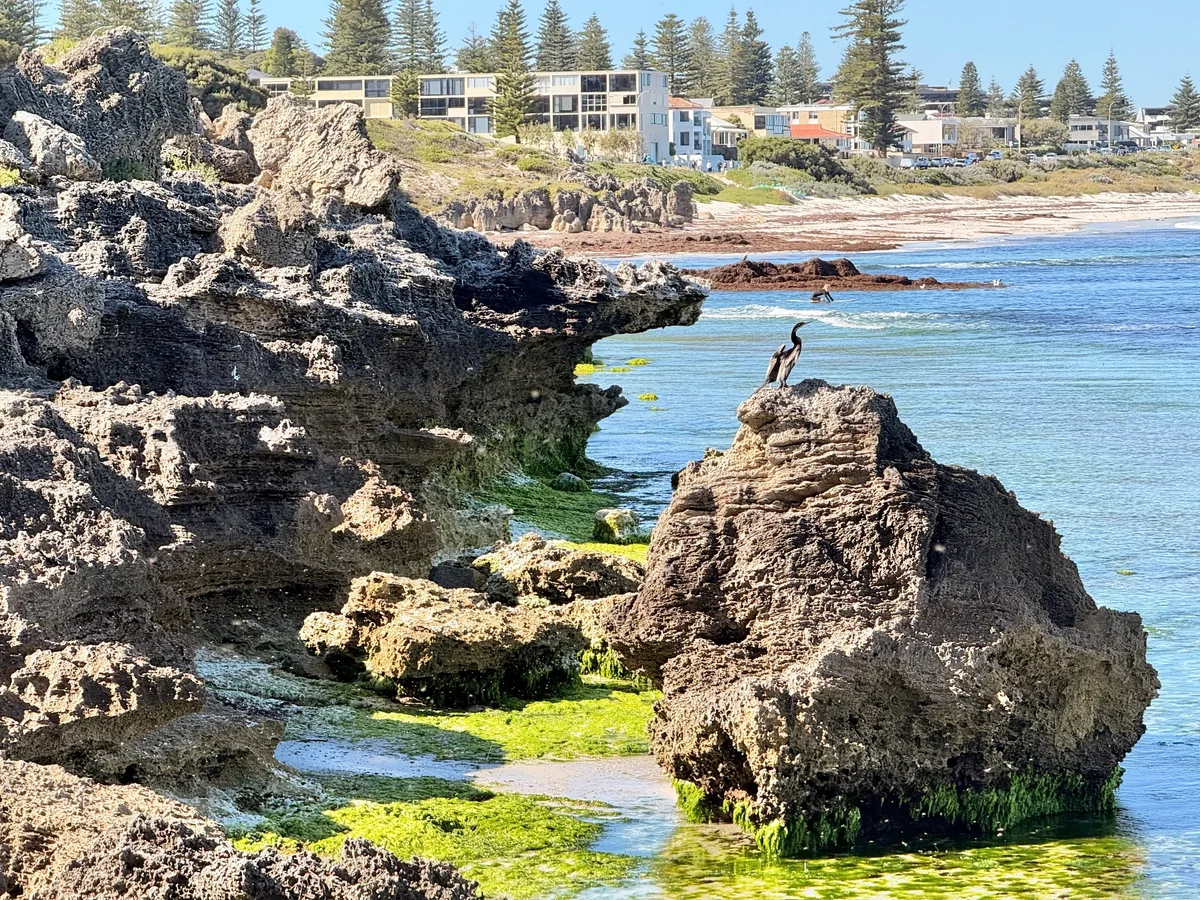
Limestone formations and clear water at Mudurup Rocks

Explore the story