
CottBuzz

Add to Home Screen

CottBuzz Home Screen icon

Keep CottBuzz one tap away. No app store needed.

iPhone / iPad

  1. Open cottbuzz.com.au in Safari or Chrome.
  2. Tap your browser’s Share button , the square with an upward arrow. You may need to open the browser’s menu first.
  3. Scroll down and choose Add to Home Screen. On iPad, tap View More or More first if needed.
  4. Turn on Open as Web App if shown, then tap Add.

Missing the option? In Safari, scroll to Edit Actions to add it. If your browser doesn’t offer it, try Safari.

Android

If the Install CottBuzz button is shown, tap it and follow the prompts. Or:

  1. Open cottbuzz.com.au in Chrome.
  2. Open Chrome’s More menu (⋮), then choose Install and create shortcut.
  3. Choose Install or Create shortcut, then follow the prompts.

Older versions may call this Add to Home screen or Install app.

Opened CottBuzz inside another app? Open it in Safari on iPhone/iPad or Chrome on Android first. An internet connection is still needed.

Sandbar

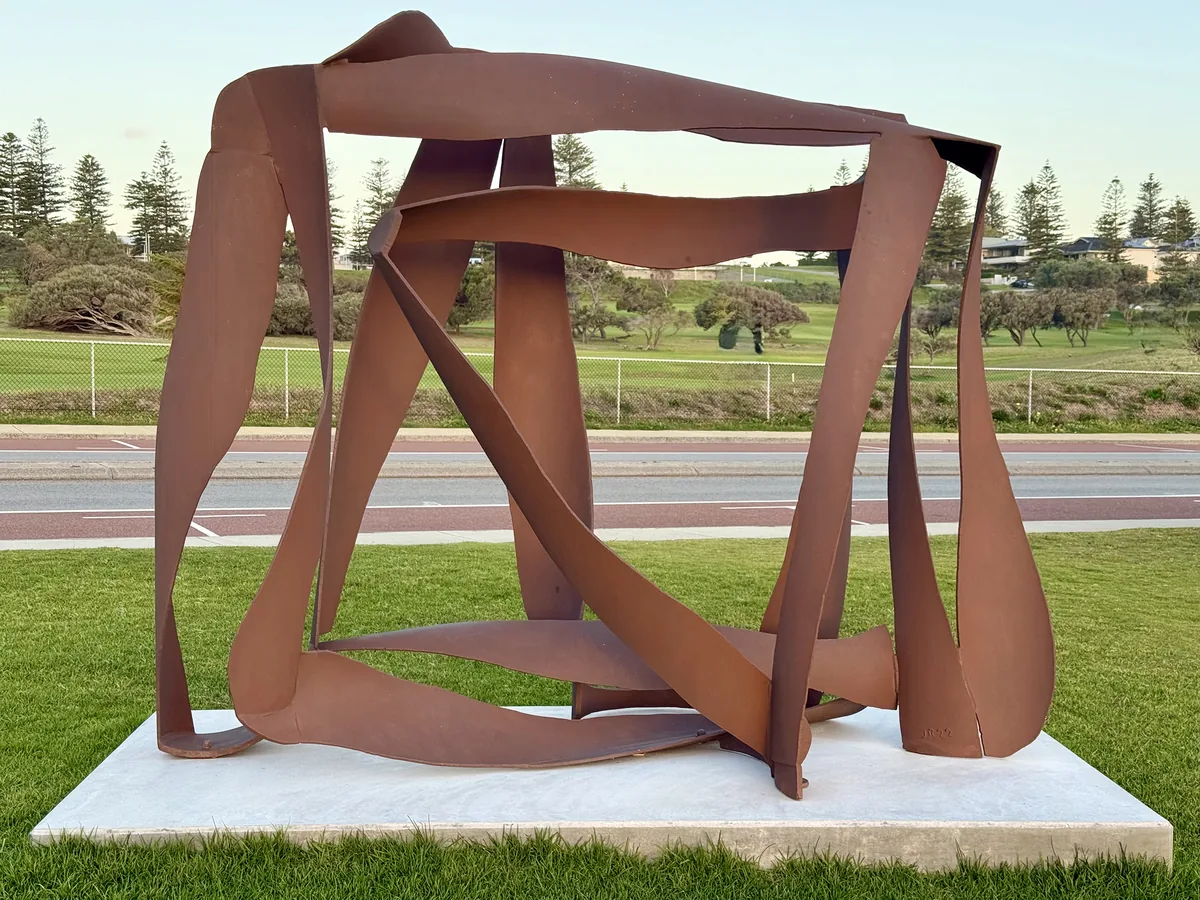
Steel with a sense of movement. James Rogers’ Sandbar folds broad, rust-coloured ribbons around open space. Walk a little way around it and the shapes shift against the sky and coast.

Open on the CottBuzz map
Sandbar

Marine Parade, between Forrest Street and Pearse Street

On the ocean-side foreshore lawn.

Sandbar won the $60,000 acquisitive award at Sculpture by the Sea, Cottesloe in 2023. The work was donated to the Town by Hancock Prospecting and Roy Hill. Its permanent foreshore location sits on the ocean side of Marine Parade, between Forrest and Pearse streets. Read the Sculpture by the Sea award announcement for the artist and award, or the Town of Cottesloe location report (item 10.1.7) for the placement background.

Useful links